 Suitaar
Setup guide
Pricing
Privacy
Dashboard
Opsgenie is closing. Keep your alerts in Slack, Discord and Telegram.
Opsgenie stops on 5 April 2027. Change one URL in Alertmanager or Grafana, and your alerts go to Slack, Discord or Telegram through Suitaar.
Start free Read the setup guide Try it without an account
The free plan stays free after the beta. See the plans and prices.
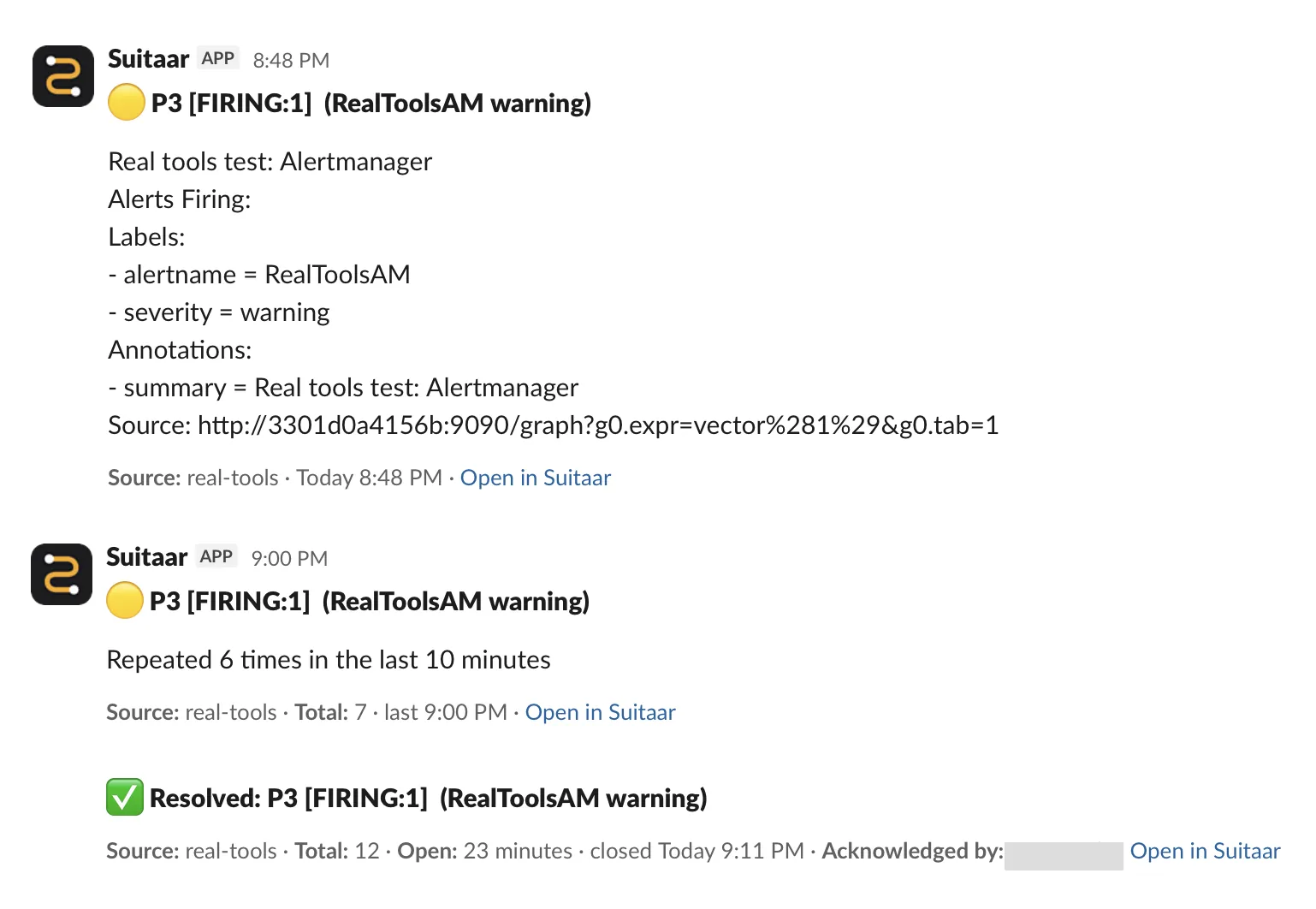
What your channel sees
How it works
- Add your Slack or Discord webhook, or connect Telegram. Suitaar sends a test message.
- Add a source for Alertmanager, Grafana or another tool, and copy its key.
- Change one URL in your tool. Your alerts now go to your channel.
Run a homelab or a side project? Uptime Kuma, Healthchecks.io, Discord and Telegram work too.
Change one URL
Alertmanager (opsgenie_configs):
api_key: <your Suitaar key>
api_url: https://suitaar.com/api/og/
Grafana (OpsGenie contact point): set the Alert API URL to https://suitaar.com/api/og/v2/alerts.
What works today
- The Opsgenie Alert API: create, close, acknowledge, notes, alert and request status.
- Repeated alerts with the same alias become one alert with a count. Repeats make one summary in Slack, or an edit of the first message in Discord.
- An Ack shows who acknowledged the alert. A close marks it Resolved.
- Heartbeats: an alert when a cron job stops pinging.
- Slack incoming webhooks and Discord webhooks, with retries and rate limits. Flood control holds a burst of new alerts in one summary.
- A dashboard with your alerts, their timeline, Acknowledge and Close, and a test alert button.
- Telegram too: alerts in your own chat or a group, with Ack and Close buttons.
Works with
Alertmanager, Grafana, Sentry, Uptime Kuma, Healthchecks.io, UptimeRobot, Zapier, the Opsgenie Go and Python SDKs and the GitHub Action. The setup guide has the steps for each tool.
The free plan
3 channels, 3 heartbeats for each source, and 30 days of alert history. No payment details. It stays free after the beta. A paid plan for bigger teams comes later.
What Suitaar does not do
Suitaar is not an on-call platform: no on-call schedules, no phone calls, no SMS. It sends your alerts to the chat where your team already works. For nights, pair it with an on-call tool.